
How to Import Subtitle Files in Sublandia Editor
Designed for creators. Free to use. Ready to scale.
Built by subtitlers. Powered by freedom!
Introduction
Importing subtitle files in Sublandia Editor is done during project creation. Subtitle files can be assigned as Source or Target, depending on your subtitle workflow. Sublandia Editor allows both files to be displayed together or individually, and display settings can be changed later while editing the project.
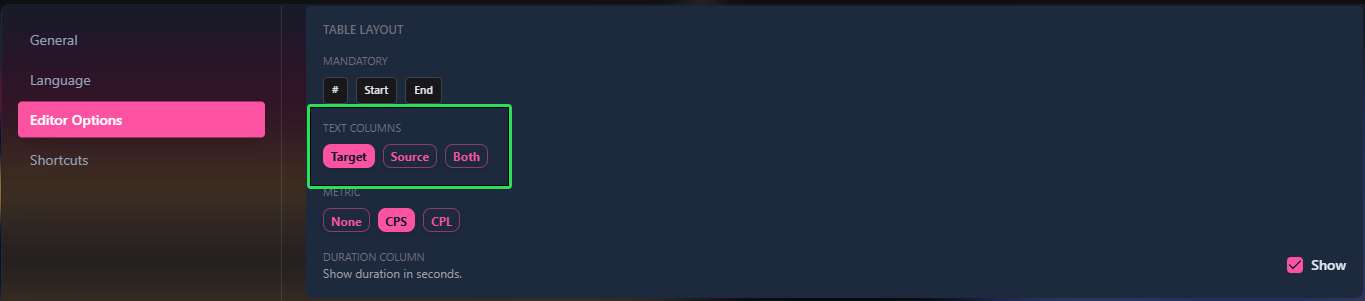
 How to Import SRT or other Subtitle Files in Sublandia Editor – Step-by-Step Guide
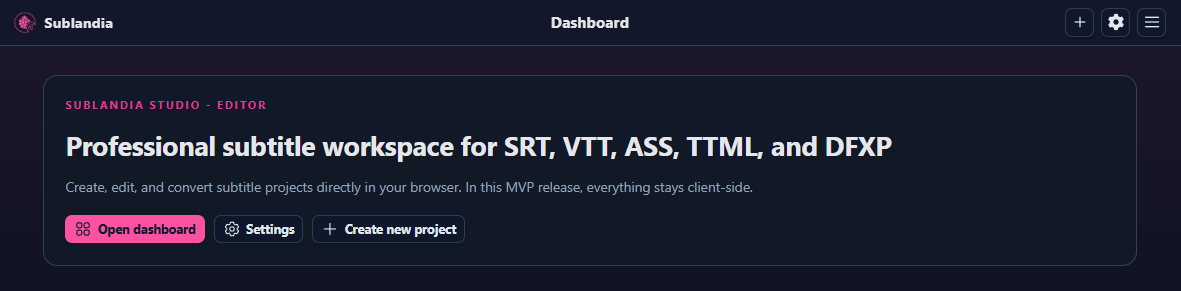
1. Open the Sublandia Editor Dashboard
Go to the Sublandia Editor Dashboard to begin.
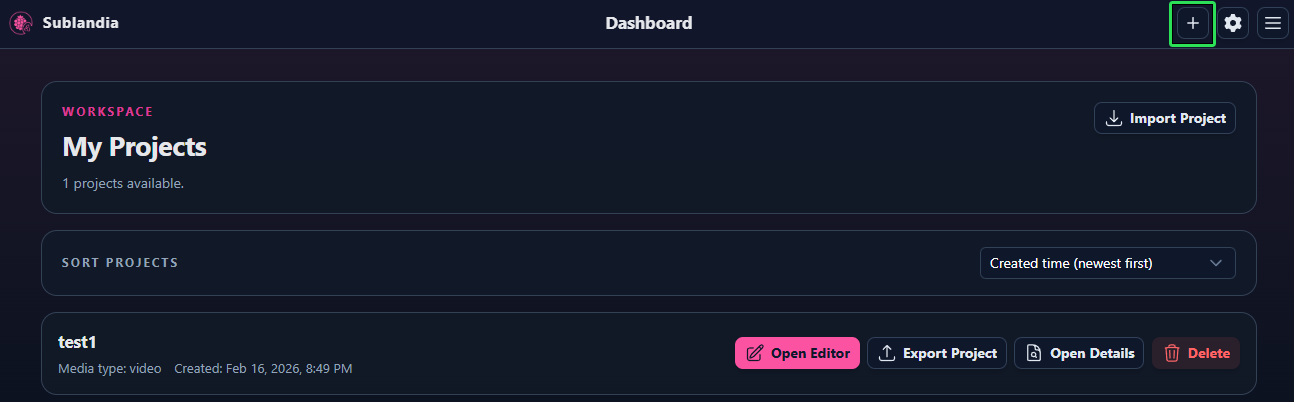
2. Create a New Project
Click Create New Project to start a subtitle project.
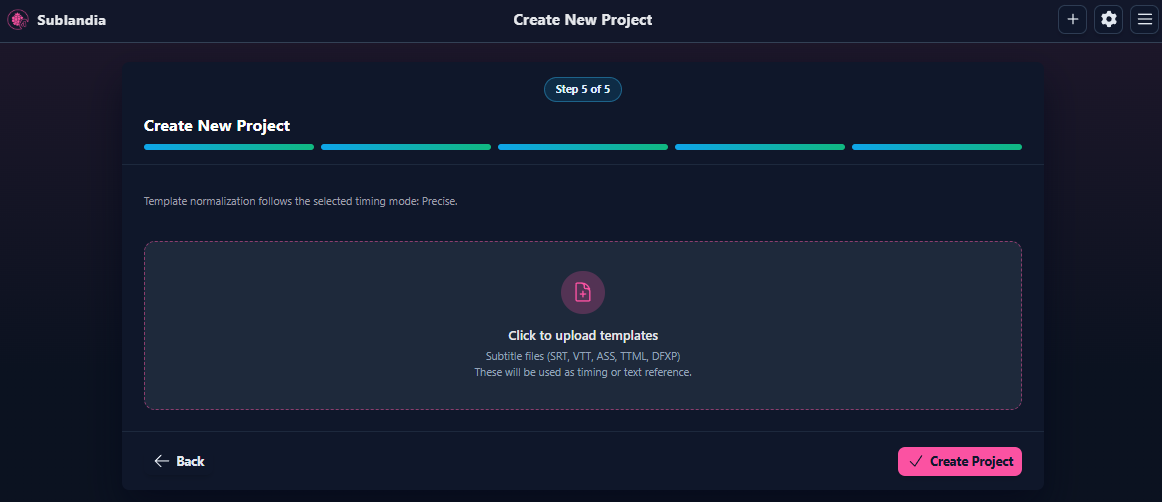
3. Follow the New Project Setup
Complete the project creation steps until you reach the subtitle file import stage.
4. Select Subtitle File
Choose your subtitle file format: SRT, TTML, DFXP, WebVTT, ASS.
Click Create Project
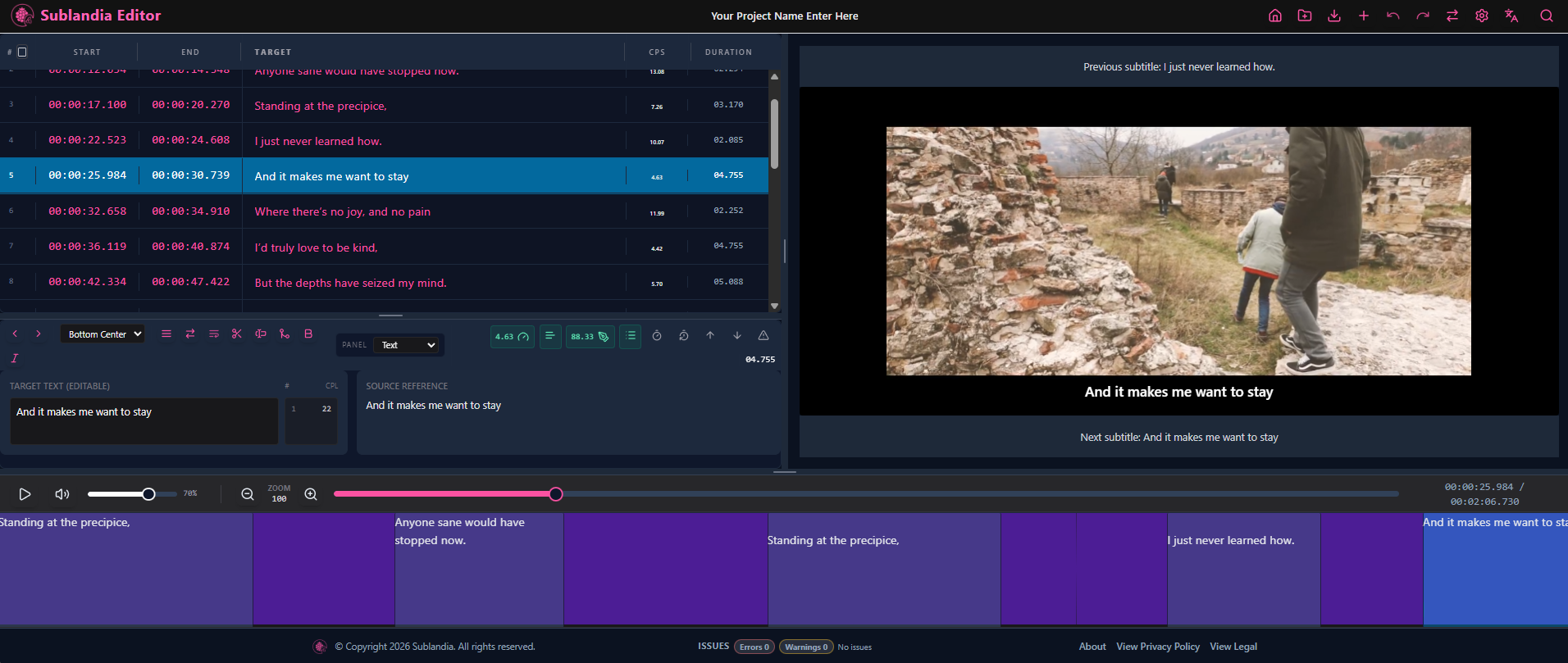
5. This Is How Your Project Should Look in Sublandia Editor
After clicking Open Editor, your project opens inside Sublandia Editor. At this stage, the editor interface displays the video preview, subtitle timeline, project settings, and editing tools needed for subtitle creation and timing adjustments.
 FAQ
FAQ
Can I import SRT files into Sublandia Editor?
Yes, Sublandia Editor fully supports SRT subtitle import during project creation.
Which subtitle formats are supported in Sublandia Editor?
Supported formats include SRT, TTML, DFXP, WebVTT, ASS.
Can I import source and target subtitle files together?
Yes, Sublandia Editor supports both source and target subtitle files in the same project.
What encoding should I use for subtitle import?
UTF-8 is recommended for best compatibility..
Something on your mind?
Contact us
We are social


