
Professional Subtitle Editing in Your Browser
Sublandia Editor
Create, translate, time, validate and export subtitles with real-time QC, waveform timing and local file processing - no installation, no forced media upload.
Sublandia Editor is a free browser-based subtitle editor for professional workflows. It helps subtitle translators, localization specialists, freelance subtitlers, studios and media teams edit subtitles faster, catch technical issues earlier and prepare export-ready subtitle files for delivery.
Catch QC issues while you edit
Spot CPS, CPL, overlaps, timing, duration and formatting problems before export.
Work securely with local files
Keep your video and subtitle files on your device while working in a browser-based editor.
Export for professional delivery
Prepare SRT, TTML and DFXP subtitles for localization, streaming, review and production workflows.
Free to start. Browser-based. Built for professional subtitling workflows.
Designed for creators. Free to use. Ready to scale.
Built by subtitlers. Powered by freedom!
Why professional subtitlers use Sublandia Editor
Professional subtitling is not just typing text under video. It means managing timing, reading speed, line length, formatting, file versions, export formats and client-specific QC rules.
Sublandia Editor brings these steps into one browser-based workflow so you can create, translate, time, validate and export subtitles with fewer interruptions.
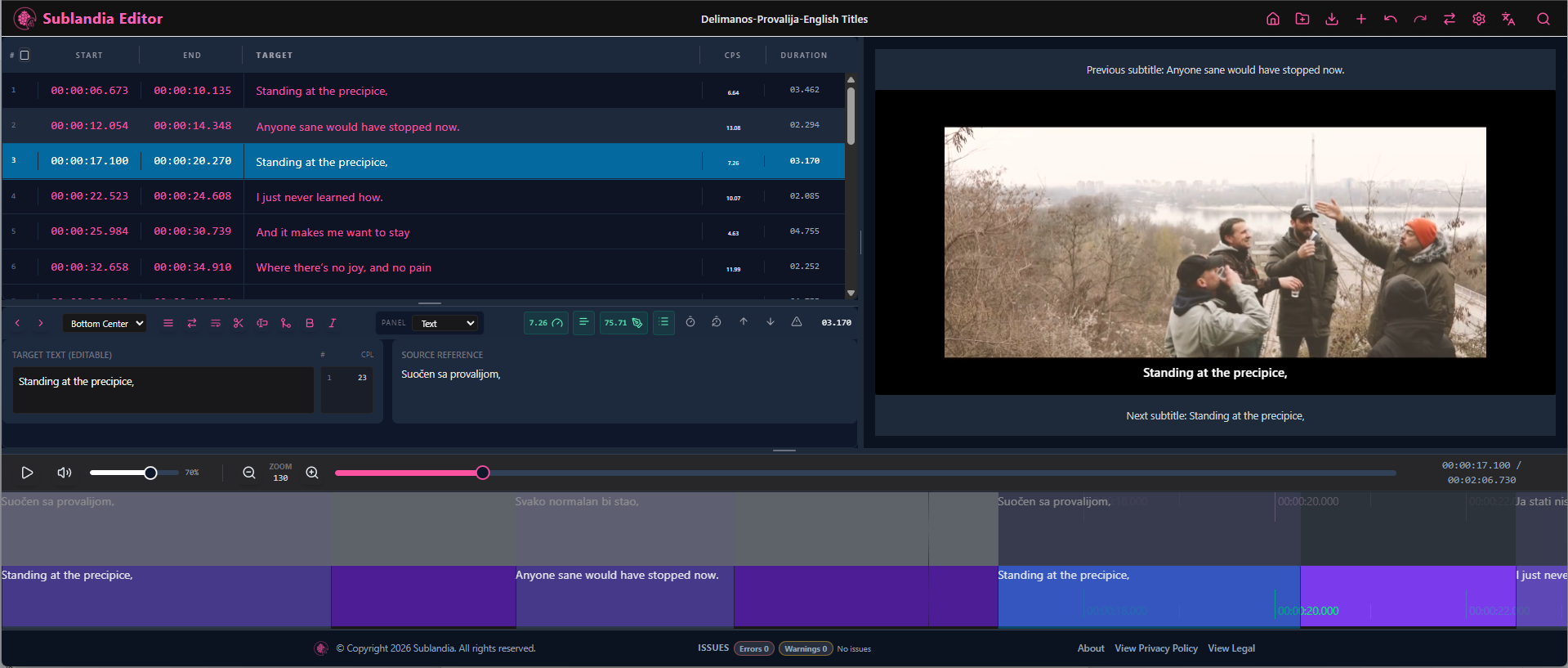
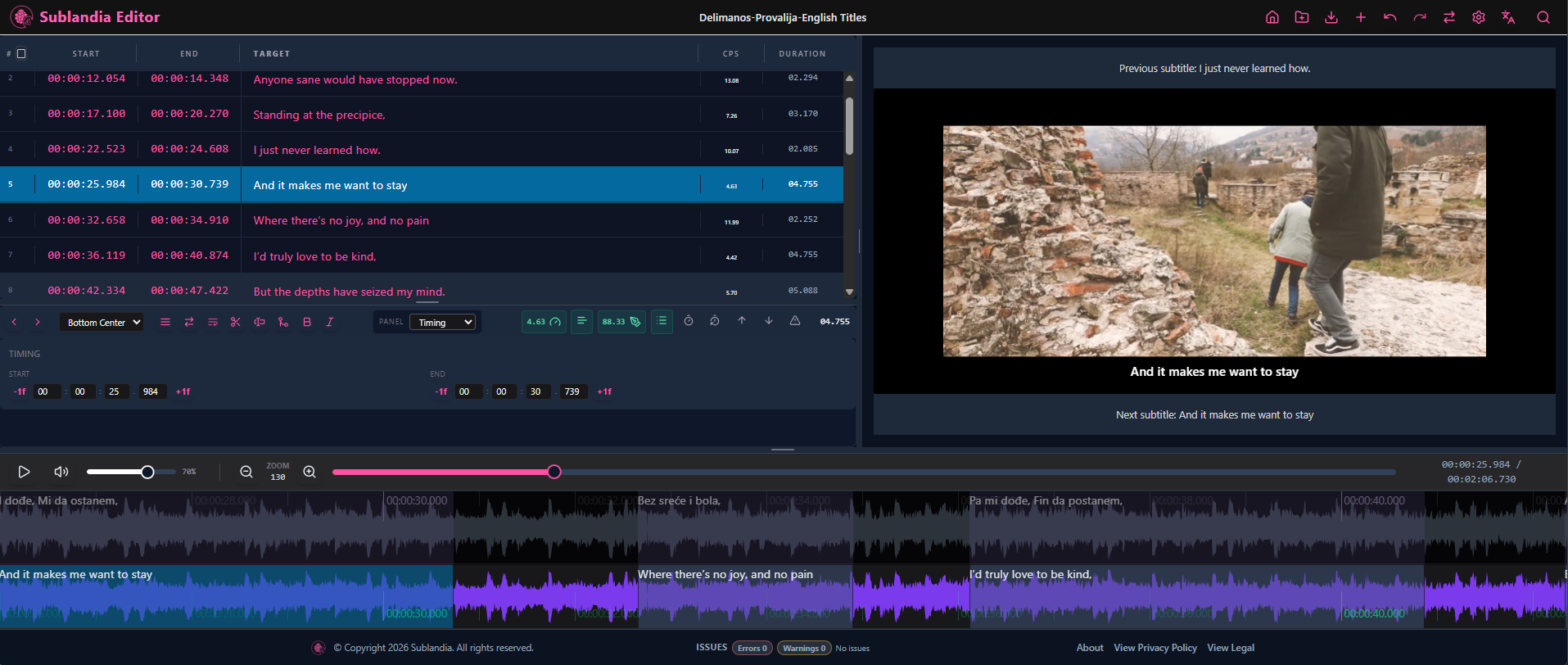
Instead of checking technical problems only at the end, Sublandia Editor helps you catch subtitle quality issues while you edit. This makes it easier to maintain readable subtitles, consistent timing and export-ready files throughout the production process.
 A browser-based subtitle editor for real production work
Sublandia Editor is designed for subtitle production, subtitle translation and media localization workflows. You can work directly in your browser, without installing desktop software and without being forced to upload working media files.
The editor combines structured subtitle editing, waveform-based timing, real-time validation and professional export formats in one focused workspace.
Whether you are preparing subtitles for streaming platforms, OTT distribution, broadcast review, client delivery or internal localization workflows, Sublandia Editor helps keep your subtitle work organized, accurate and technically consistent.
Real-time subtitle QC while you edit
Sublandia Editor checks your subtitles during the editing process, so you can identify problems before export.
The validation system helps detect common subtitle production issues, including:
- characters per second problems
- characters per line issues
- subtitle overlaps
- timing conflicts
- short or long subtitle durations
- formatting inconsistencies
- export-readiness problems
This real-time subtitle QC workflow helps reduce manual checking, avoid repeated corrections and improve delivery confidence.
 Waveform subtitle timing and synchronization
Accurate timing is one of the most important parts of professional subtitle work.
Sublandia Editor includes waveform-based timing tools that help you align subtitles with speech, pauses and audio events. This makes subtitle synchronization more precise and helps editors maintain better readability and timing consistency.
By combining waveform monitoring with structured subtitle editing, Sublandia Editor gives subtitlers a practical workflow for timing, reviewing and adjusting subtitle lines in a browser.
Local file processing for secure subtitle work
Sublandia Editor is built for browser-based subtitle editing with local file processing.
That means you can work with video and subtitle files from your own device without being forced to upload working media just to edit subtitles. This is useful when working with client content, unreleased media, internal review files or sensitive localization projects.
For professional subtitlers and media teams, this makes Sublandia Editor a practical option for secure, focused subtitle editing in the browser.
Export-ready subtitle formats
Sublandia Editor supports professional subtitle export workflows for commonly used subtitle formats, including:
- SRT
- TTML
- DFXP
These formats are widely used across subtitle production, localization, streaming, review and media delivery workflows.
Sublandia Editor helps you prepare subtitle files that are ready for professional use, while keeping timing, formatting and validation checks visible during the editing process.
Built for subtitle translators, studios and localization teams
Sublandia Editor is made for people who work with subtitles seriously:
- freelance subtitle translators
- professional subtitlers
- localization specialists
- media localization teams
- production studios
- review teams
- content creators preparing multilingual subtitle files
If your workflow includes subtitle translation, timing, QC, review or export, Sublandia Editor gives you a browser-based workspace built around the real needs of subtitle production.
Start editing subtitles online
Create, translate, time, validate and export subtitles in a professional browser-based subtitle editor.
Free to start. No installation required. Built for professional subtitle editing and localization workflows.
Something on your mind?
Contact us
We are social


